The Simplest Way to Keep Track of Hours Worked & Shift Pay
A privacy-first work log and hours tracker designed for shift workers and hourly jobs. Clock in with one tap, master night shifts, calculate earnings with automatic time-and-a-half overtime and tax, and export payroll-ready PDF timesheets.
From install to your first paycheck math in 6 screens
The first run is designed to reach your “aha” moment fast: a pay period that already adds up, plus automatic time-and-a-half overtime. Watch each onboarding screen — then try them in the app.
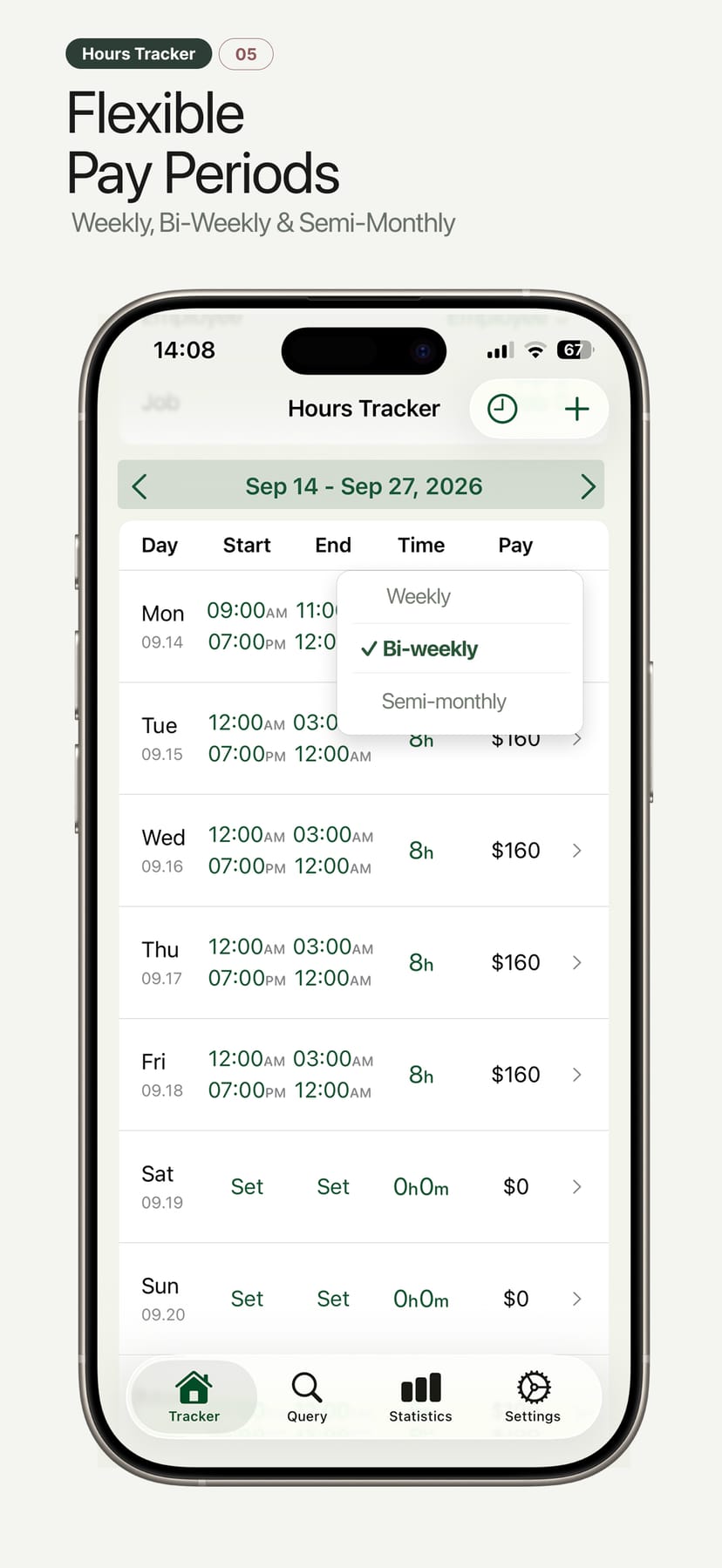
Weekly, bi-weekly or semi-monthly — totals that match your paycheck
Choose the pay schedule your employer actually uses. Hours Tracker rolls every shift into a clean period table with total time and total pay — the same math your payroll department runs.
- Day / start / end / time / pay columns, just like a real timesheet
- Gross pay totals update live as you add shifts
- Period navigator for weekly, bi-weekly and semi-monthly views
See it in action
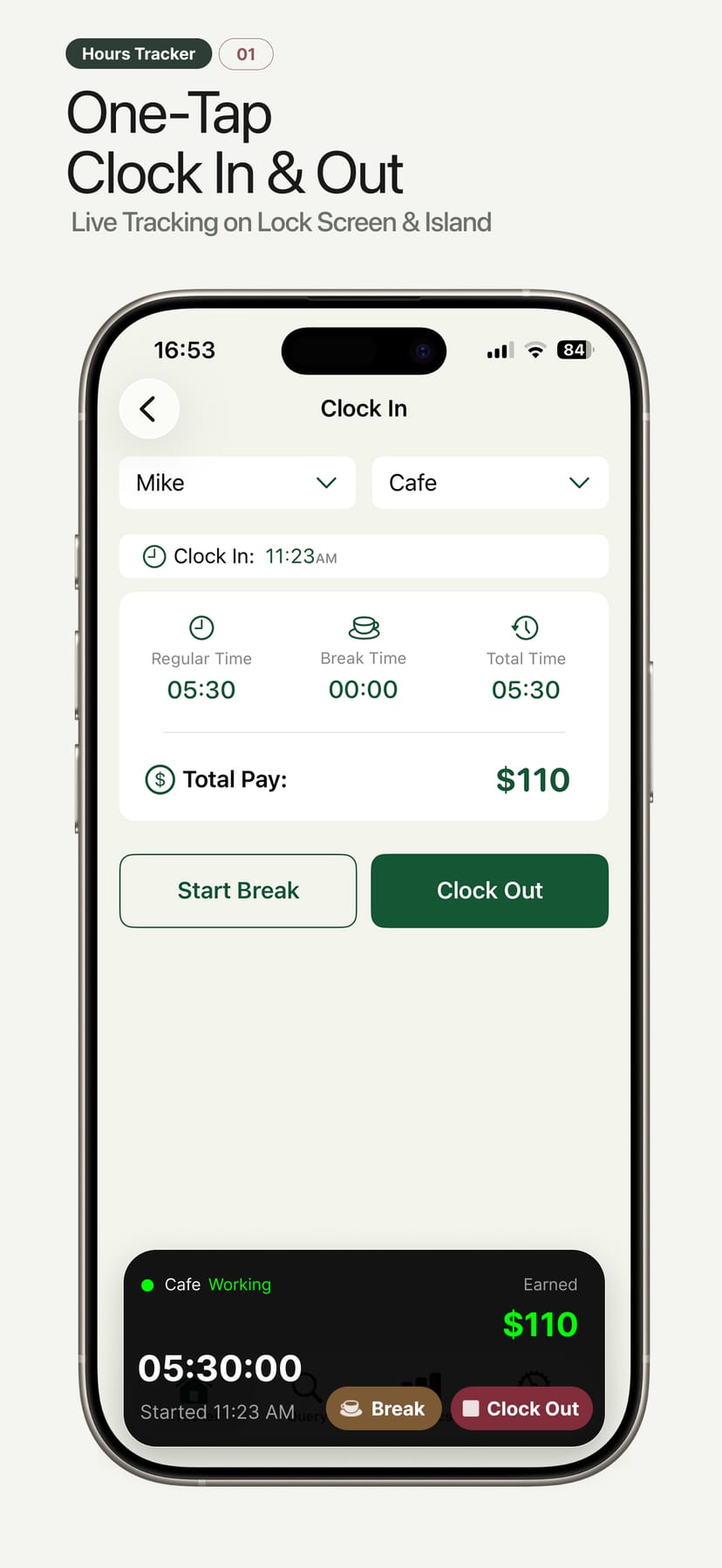
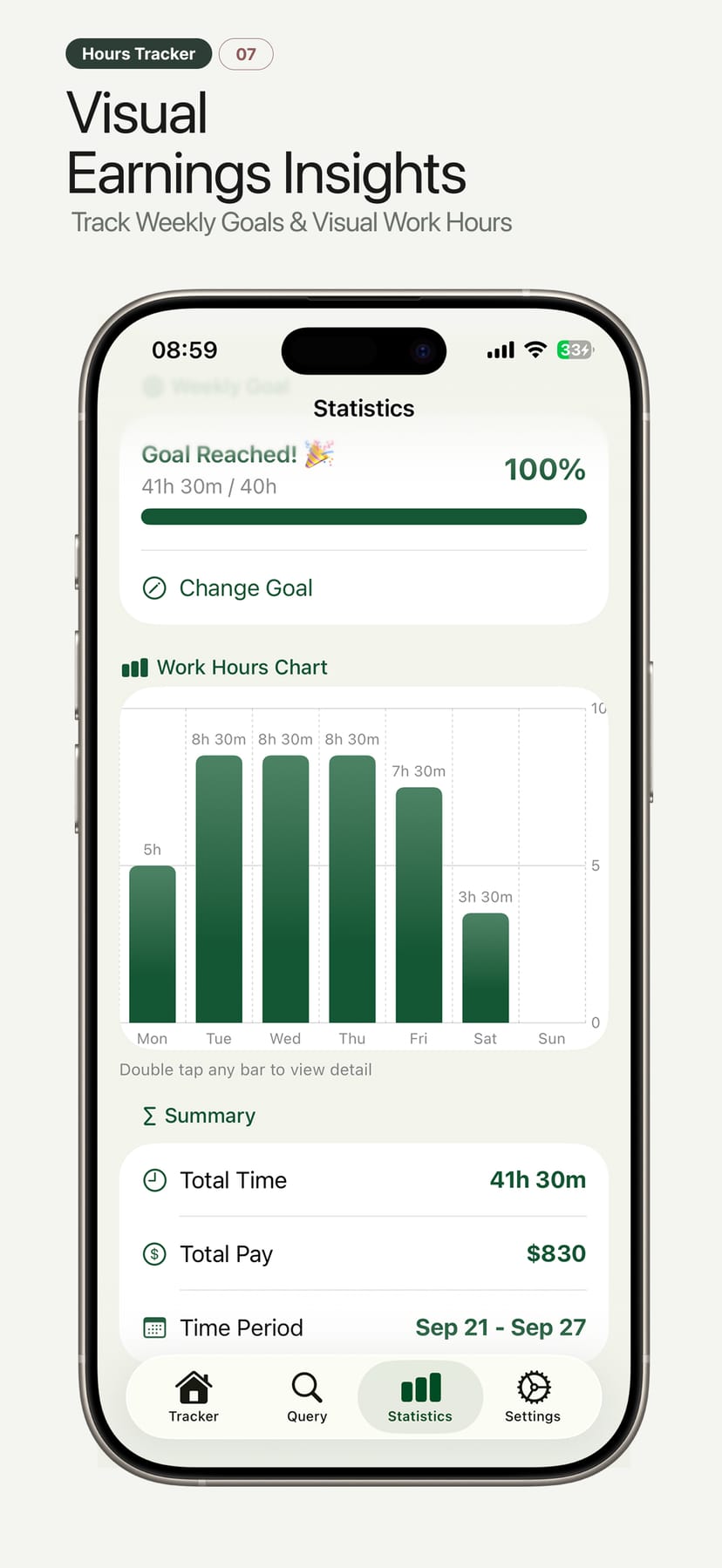
The whole flow — clock in with one tap, break at lunch, clock out at 17:30, and the pay column already knows what your shift is worth, time and a half included. Real screens from Hours Tracker (by ShiftWorkLog) on iPhone.
- 1Period-first designLand on this week’s table, not an empty dashboard.
- 2Numbers you can trustBreaks deducted, time-and-a-half overtime flagged, pay computed — consistently.
- 3Fast at the end of the weekExport, email or AirDrop the timesheet and get back to work.
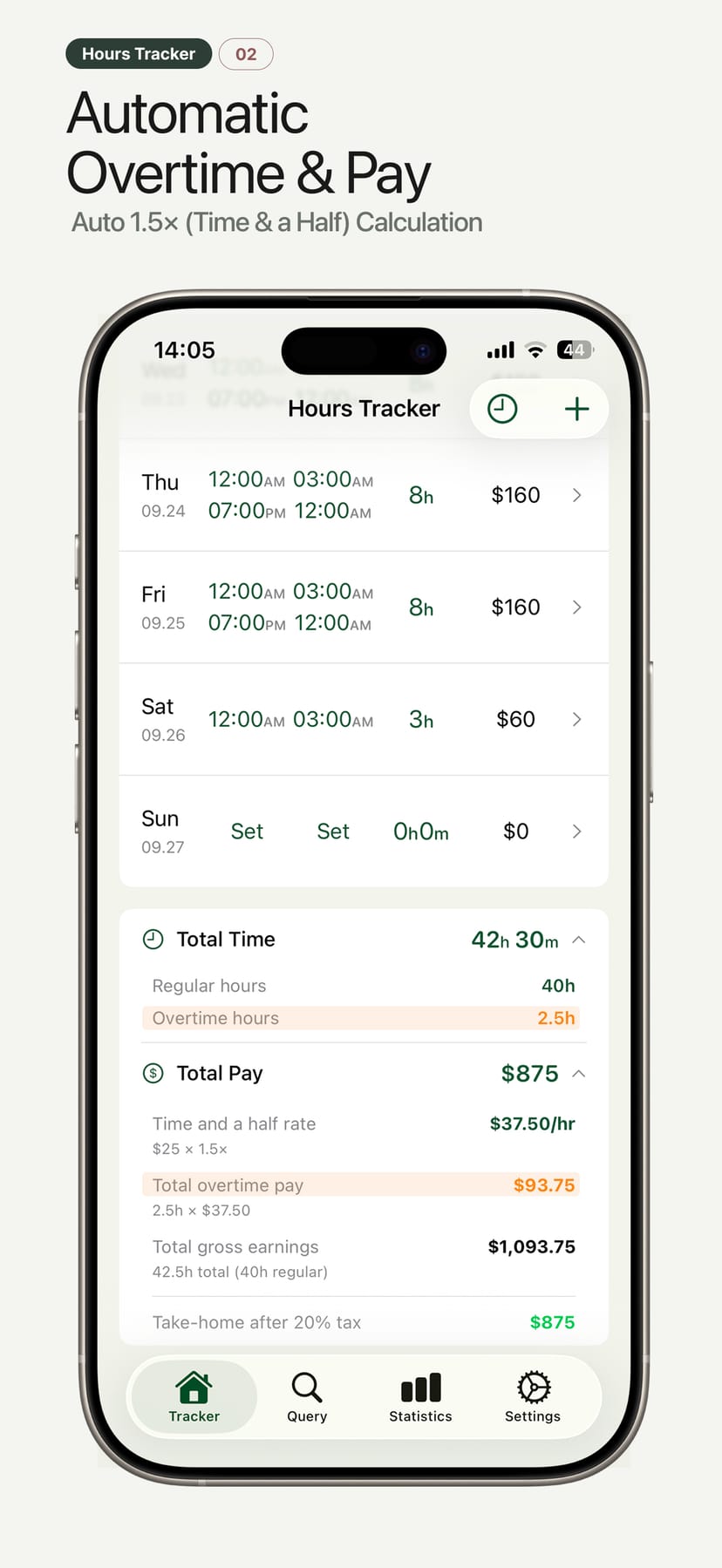
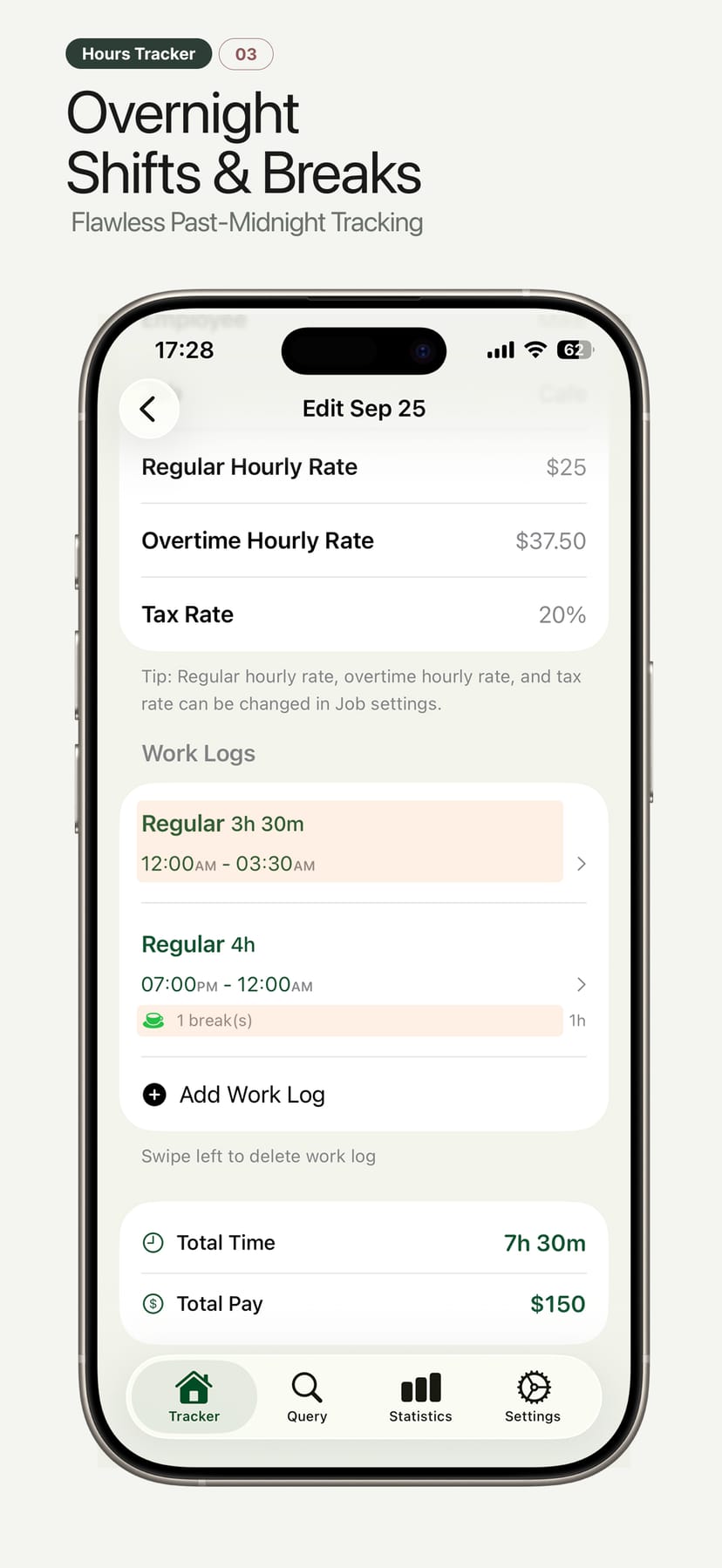
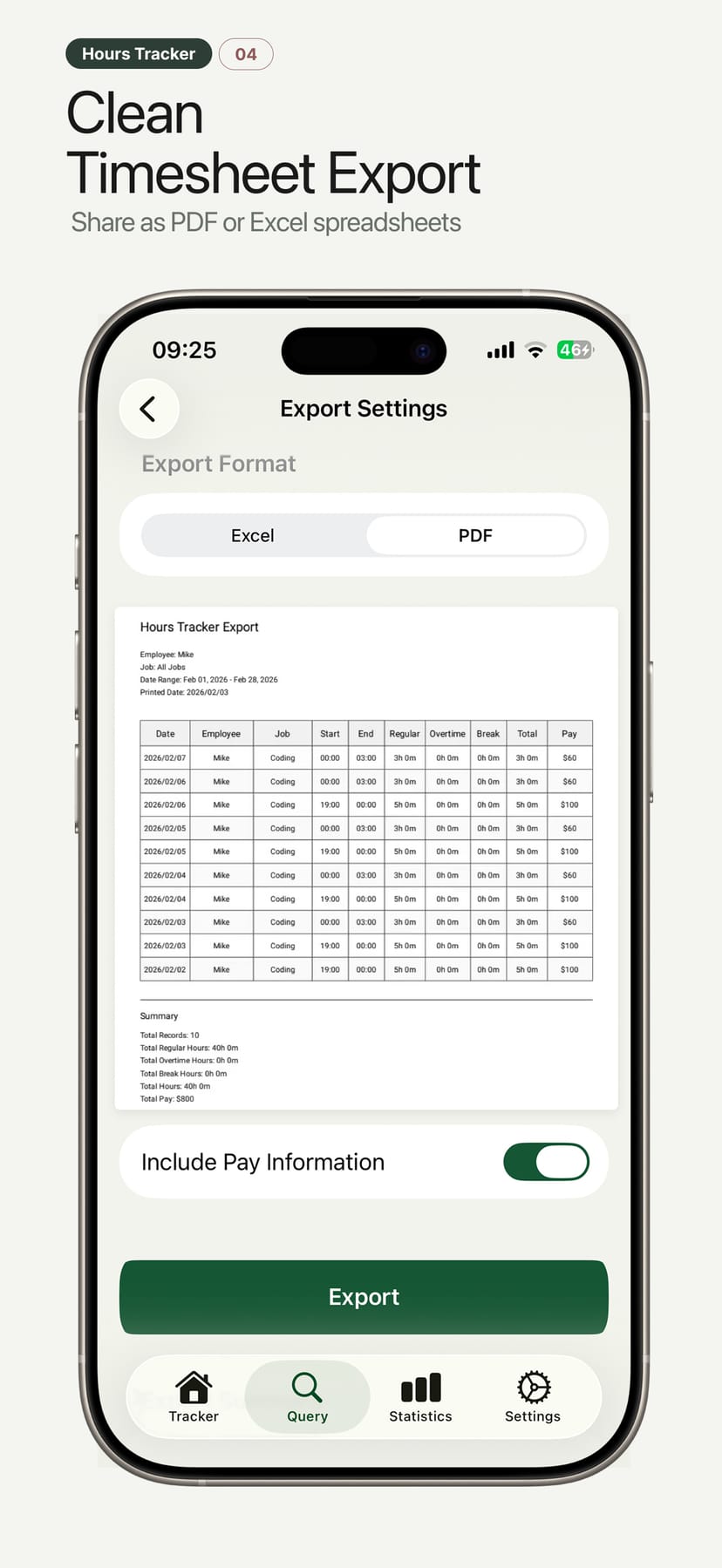
A tiny payroll desk in your pocket
Hours Tracker is a full work-hours tracker, not just a stopwatch. Hours, breaks, overtime, night shifts, multiple jobs — then pay, tax and export on top.
Pay that adds up as you clock out
Set an hourly rate per job — with automatic time-and-a-half (1.5×) overtime and a tax percentage — and every shift updates your gross, deductions and take-home instantly.
- Custom hourly rates per job & employee
- Automatic time-and-a-half & overtime calculation (1.5×, 1.25×, 2×)
- Tax % preview of take-home pay
- Pay period views: weekly, bi-weekly, semi-monthly
Prefer a bigger screen? Track in your browser
The same Hours Tracker timesheet is available as a free Chrome extension. Keep the week docked in the side panel while you work, and use the overtime estimator to check what an extra shift is worth — without leaving the page you are on.
- Weekly timesheet in the side panel
- Automatic weekly overtime split
- Time-and-a-half pay estimator
- Works offline — no account, no network requests
night shifts that cross midnight
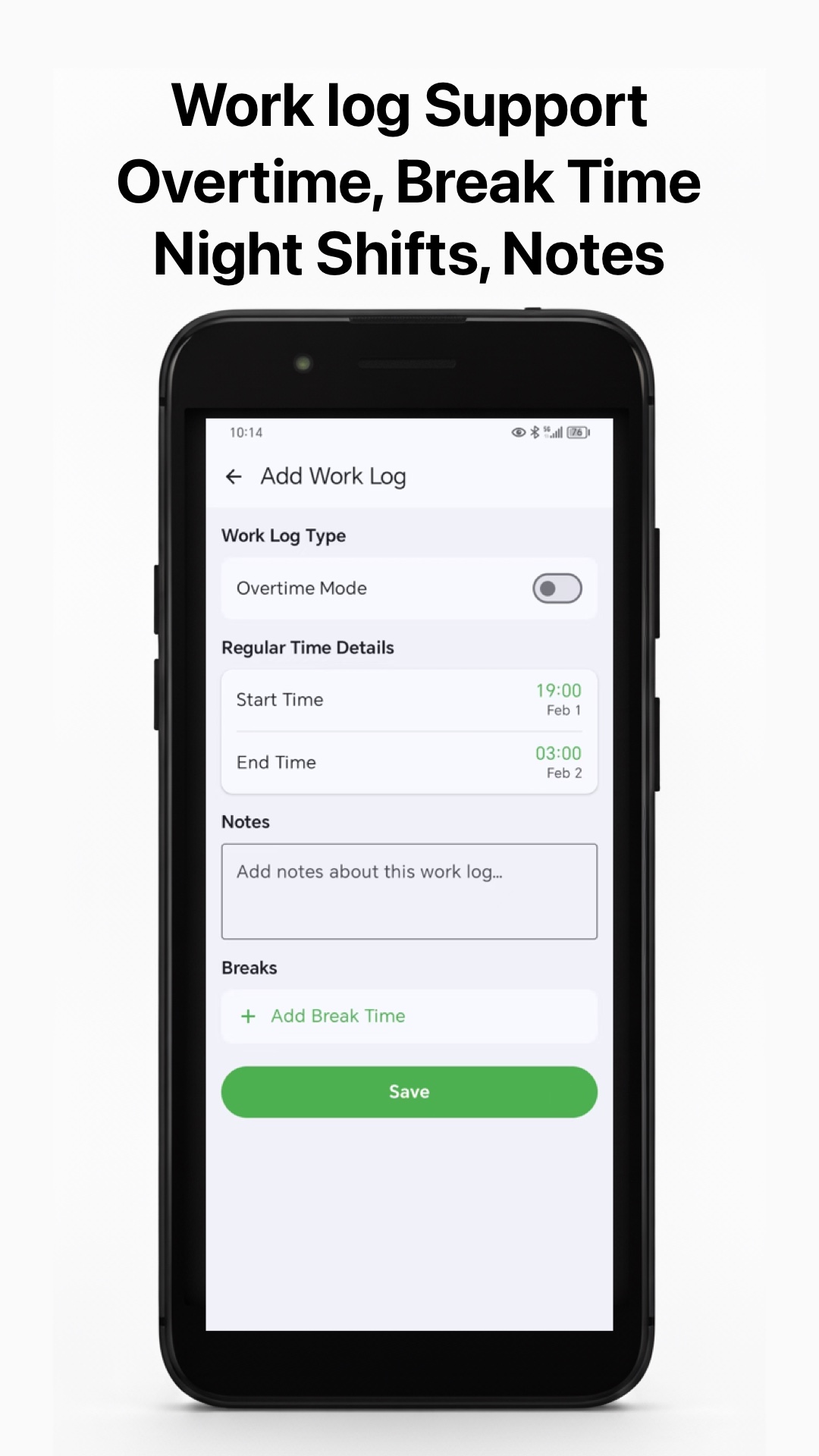
Most trackers break when your shift passes 00:00. Hours Tracker splits the day correctly, so a 22:00 → 06:00 shift shows up as one clean entry with accurate hours.
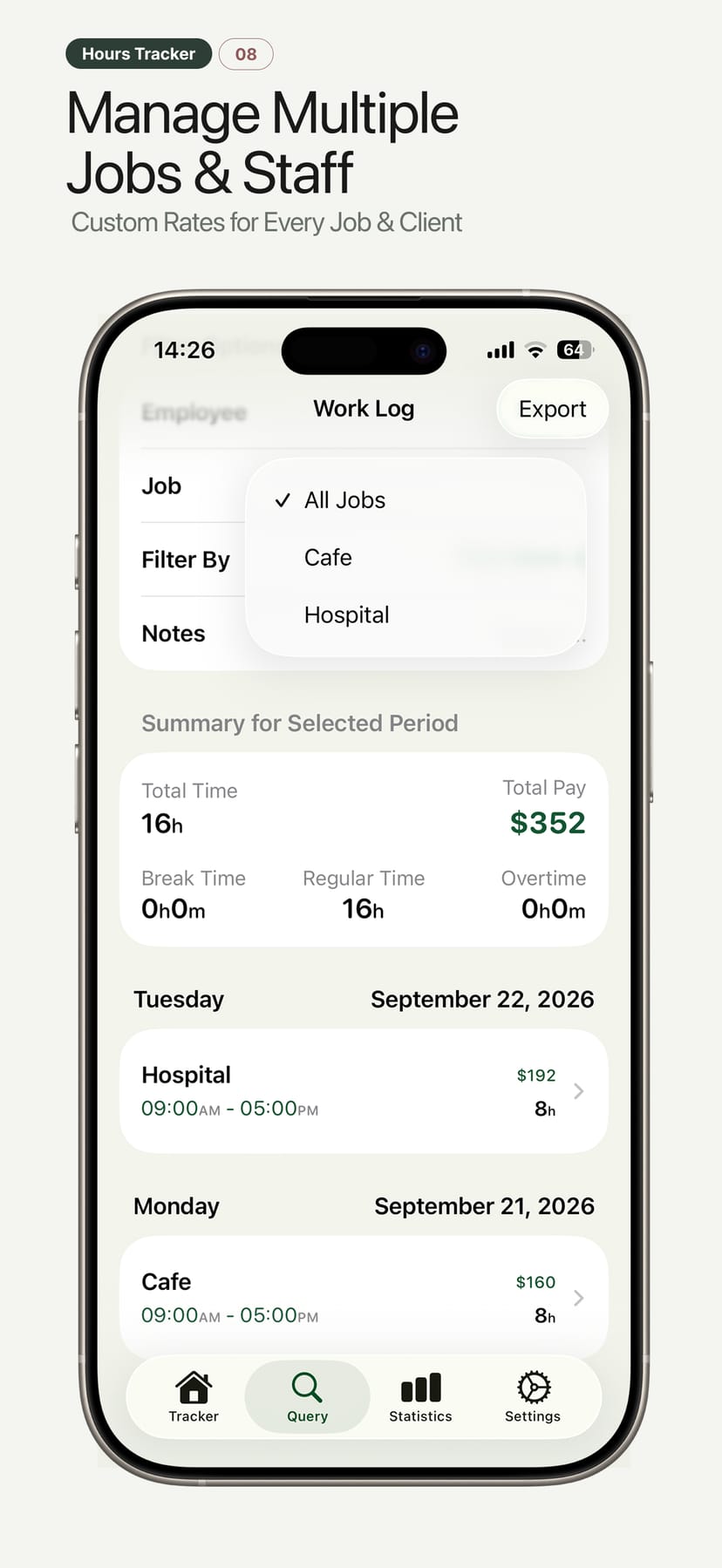
Multiple jobs & employees
Bounce between a café, delivery gig and freelance client — or run time for a small team. Filter every report by employee or job.
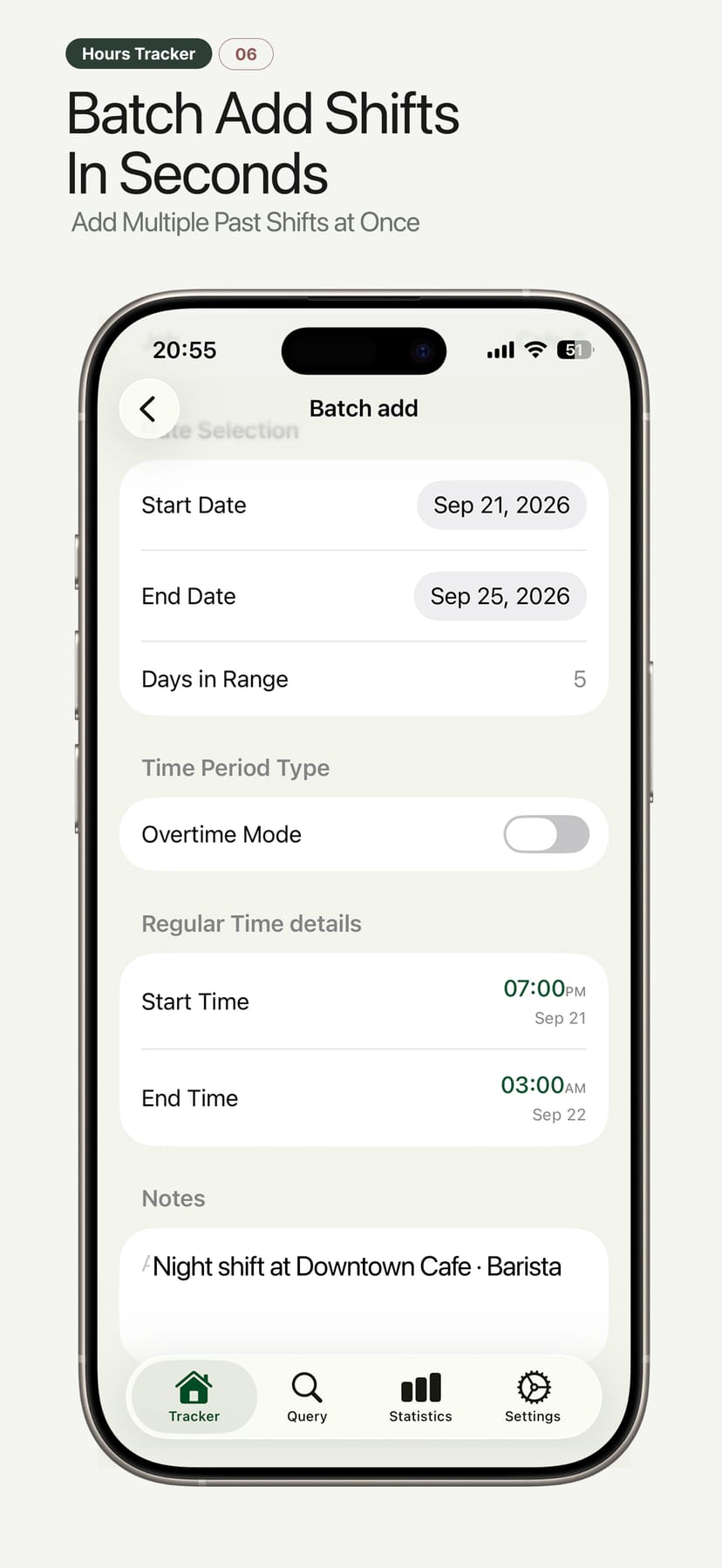
Manual entries & batch add
Forgot to clock in yesterday? Add past periods manually — or batch-fill a whole date range for repeating schedules.
Reminders that respect your shift
Never forget to clock in — or out. Hours Tracker nudges you at shift start, shift end and when a session runs long.
Timesheets your accountant won’t question
Filter by employee, job or any date range, then export a clean CSV or PDF summary. Perfect for contractor invoicing, payroll hand-off or keeping your own records during tax season.
What is a shift really worth after tax?
Drag the sliders to see exactly how Hours Tracker turns hours into take-home pay — regular hours at your rate, overtime at 1.5×, and your tax deduction on top. This is the same calculation the app runs on every pay period.
- Works for salaried-by-hour contractors too
- Automatic time-and-a-half (1.5×) overtime, customizable per job (1.25×, 1.5×, 2× or a custom multiplier / fixed rate)
- Estimates, not legal advice — perfect for planning
Like the numbers? Download Hours Tracker and make it automatic — or use the free time and a half calculator.
Shift / week calculator
demo · matches in-app mathTip: a standard full week is 40h.
Built for the schedules that don’t fit 9-to-5
If your pay depends on hours, breaks and overtime — and Excel feels like a second job — Hours Tracker was designed for you.
Nurses & healthcare
12-hour shifts, night rotations and overtime math — tracked without a spreadsheet at the nurse’s station.
Bartenders & servers
Clock in after your side-work, out after last call. Breaks and late-night OT stay accurate.
Freelancers & contractors
Bill by the hour with clean, client-ready PDF timesheets attached to each invoice.
Security & logistics
night posts that cross midnight are split automatically and paid at the right rate.
Small business owners
Run time & pay for a handful of employees from one iPhone — no payroll software required.
Multi-job workers
Three gigs, three rates, one app. Switch jobs with a tap and keep every record separate.
Field guides for real schedules
How-to guides on night shifts, overtime pay, timesheet exports and picking the right tracker for your job.
Questions before your first clock-in
Short, honest answers about shifts, pay math, privacy and exports.
A shift that starts at 22:00 and ends at 06:00 is stored as one entry, but Hours Tracker automatically accounts for the day change so your hours are never split incorrectly. Total time, overtime and pay are all calculated on the real elapsed time across midnight, which is exactly where many basic clock-in apps silently go wrong.
Yes. Set your regular hourly rate and an overtime multiplier — time and a half (1.5×) is common, but you can use any value such as 1.25× or 2×. Hours beyond your configured threshold are flagged in orange and priced at the overtime rate, so gross pay, tax and take-home totals update automatically.
Time and a half means 1.5 times your regular hourly rate: $20/hour becomes $30/hour for overtime hours. Multiply the overtime rate by the number of overtime hours, then add your regular pay. You can try the free time and a half calculator on our Tools page, or let Hours Tracker apply the 1.5× rate automatically to every shift as you clock in and out.
Your time entries, pay settings and export history live on your device and sync through your own iCloud account only when you enable it. We do not operate servers that store your time logs, and you can hide pay figures with one tap when someone is looking over your shoulder. Note: the free version is supported by advertising — ad SDKs may process device identifiers or approximate location to serve ads (see the Privacy Policy for details).
Yes. Filter by date range, employee or job, then export a clean CSV (opens in Excel, Numbers or Google Sheets) or a formatted PDF with a totals summary — ideal for contractor invoices, employer payroll hand-off or tax-season records. Exports include total hours, overtime and pay when you choose to include pay.
Yes. Create as many jobs and employee profiles as you need, each with its own hourly rate and tax settings. Track them in parallel, then review or export summaries filtered per employee or per job — useful for freelancers with several clients and small business owners with a handful of staff.
Absolutely. Add manual entries for any past date and time range, and use batch add to fill a whole set of days at once (for example, a repeating Monday–Friday schedule). Entries are checked for overlaps so your records stay accurate.
Yes. You can schedule daily clock-in and clock-out reminders, plus alerts when an active session has been running longer than expected (overtime). Reminder times and intervals are fully customizable.
Hours Tracker is free to download and no account or sign-up is required. The free version is supported by advertising; optional in-app purchases unlock premium features. Core time tracking, breaks, night shifts and exports are all available, and the app works fully offline. iCloud backup/sync is available for your own data.
Start your first timesheet in 60 seconds
Download Hours Tracker: Work Log & Pay free — on iOS or Android, or add it to Chrome. Clock in today, and the pay period totals will already be waiting for you at the end of the week.
Prefer reading first? Browse the blog · user guides